
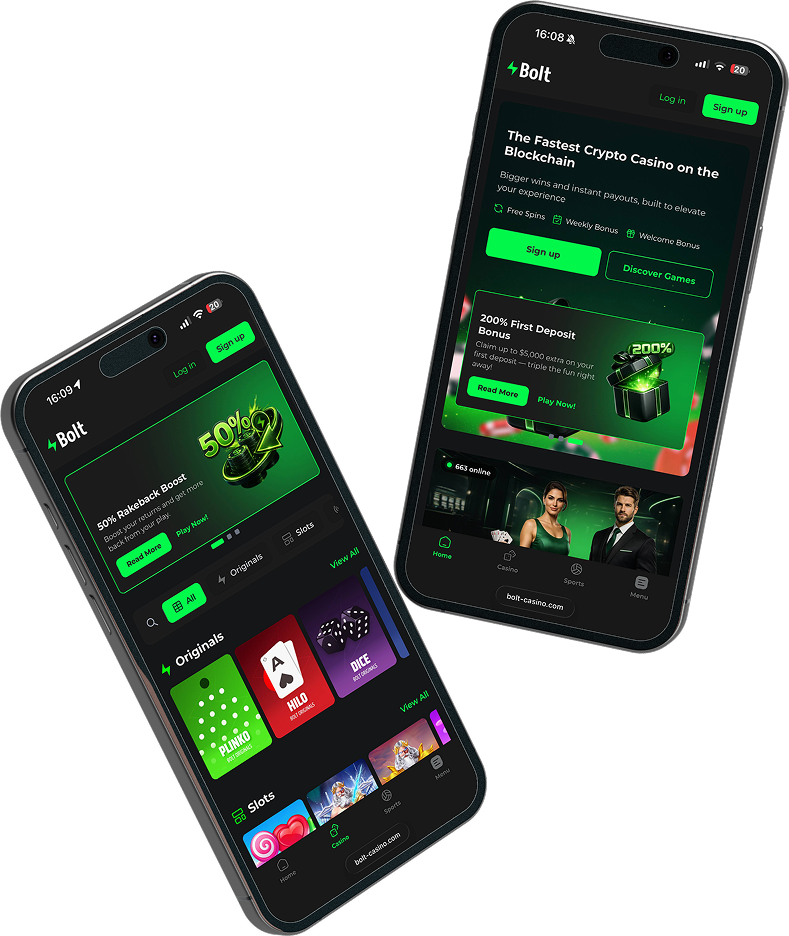
Install Bolt Casino App on Your Phone
Enjoy faster access and a seamless app-like experience. Install Bolt Casino on your home screen in just a few taps – no app store required.
IOS - Safari Instructions
Step 1
Open Bolt Casino in Safari
First, launch the safari browser and go to bolt-casino.com
Step 2
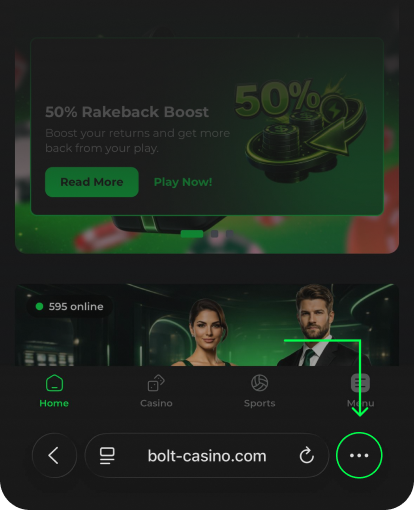
Tap the more button
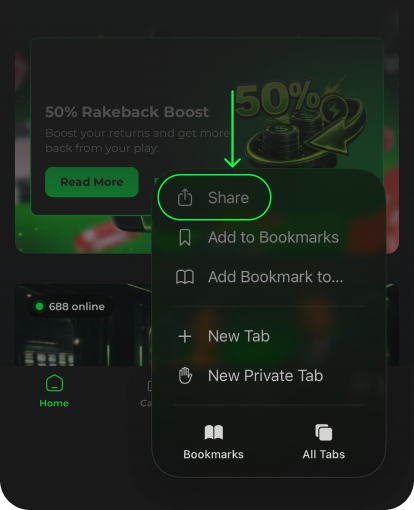
Tap the "More" icon in the navigation bar. And then tap "Share" button.
Step 3
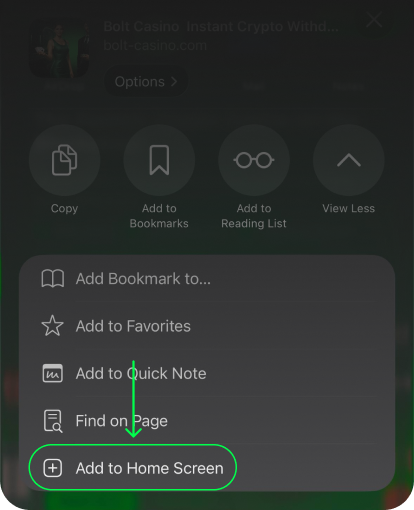
Add to Home Screen
After clicking on "Share", scroll down and tap the "Add to Home Screen" button.
Step 4
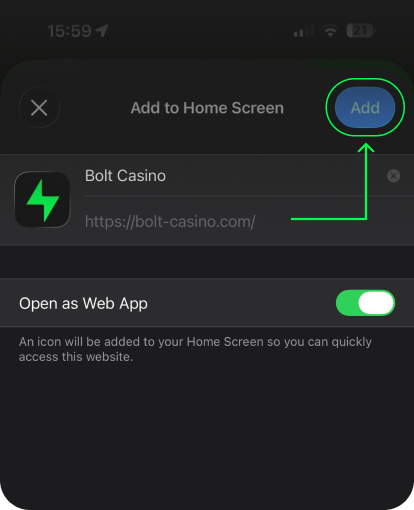
Final touches
Set the name to Bolt Casino, click "Add" and enjoy a faster app-like experience.
Android - Chrome Instructions
Step 1
Open Bolt Casino in Chrome
Launch Chrome on your Android device and go to bolt-casino.com.

Step 2
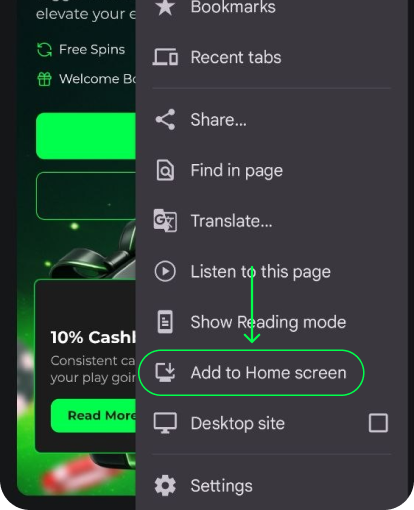
Tap the Menu Button
Tap the three-dot menu icon, then choose "Add to Home screen".
Step 3
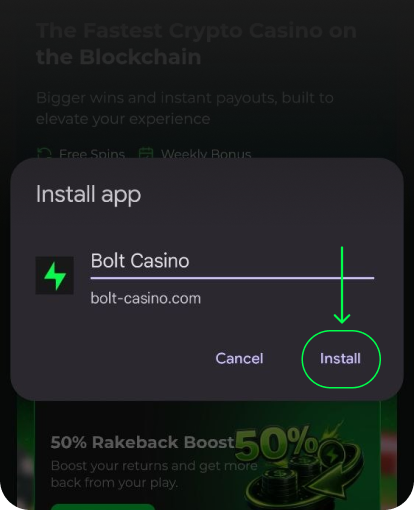
Final touches
Confirm the app name and tap "Install" to add Bolt Casino to your home screen.
Step 4
App Installed
The application will be installed on your device within a few seconds.